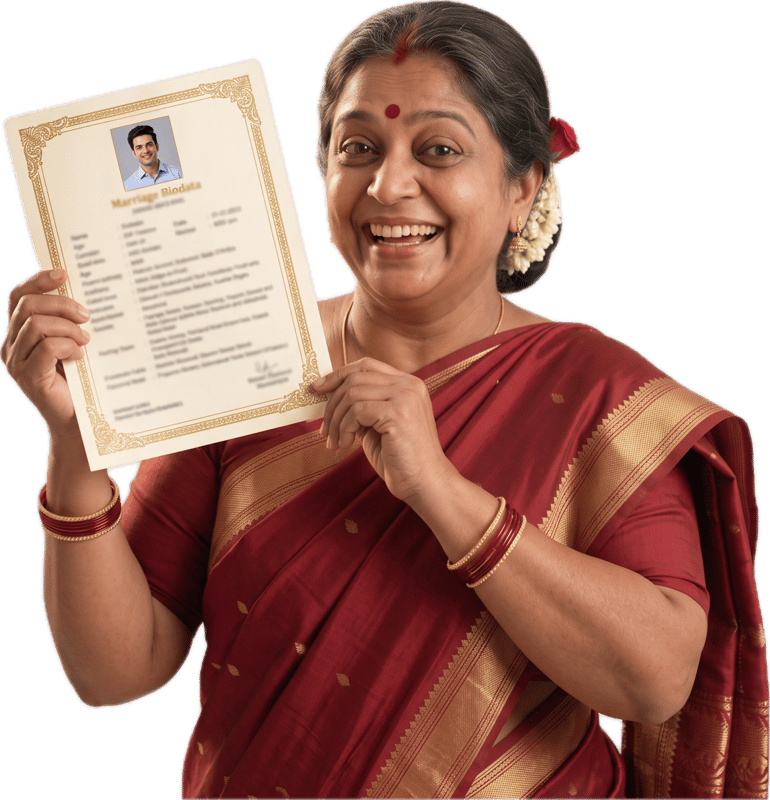
Top 10 Marriage Biodata Templates for 2026
Top 10 marriage biodata templates for 2026, from traditional to modern. Each one is a real biodata you can preview live and download as a print-ready PDF.
Published 26 September 2026
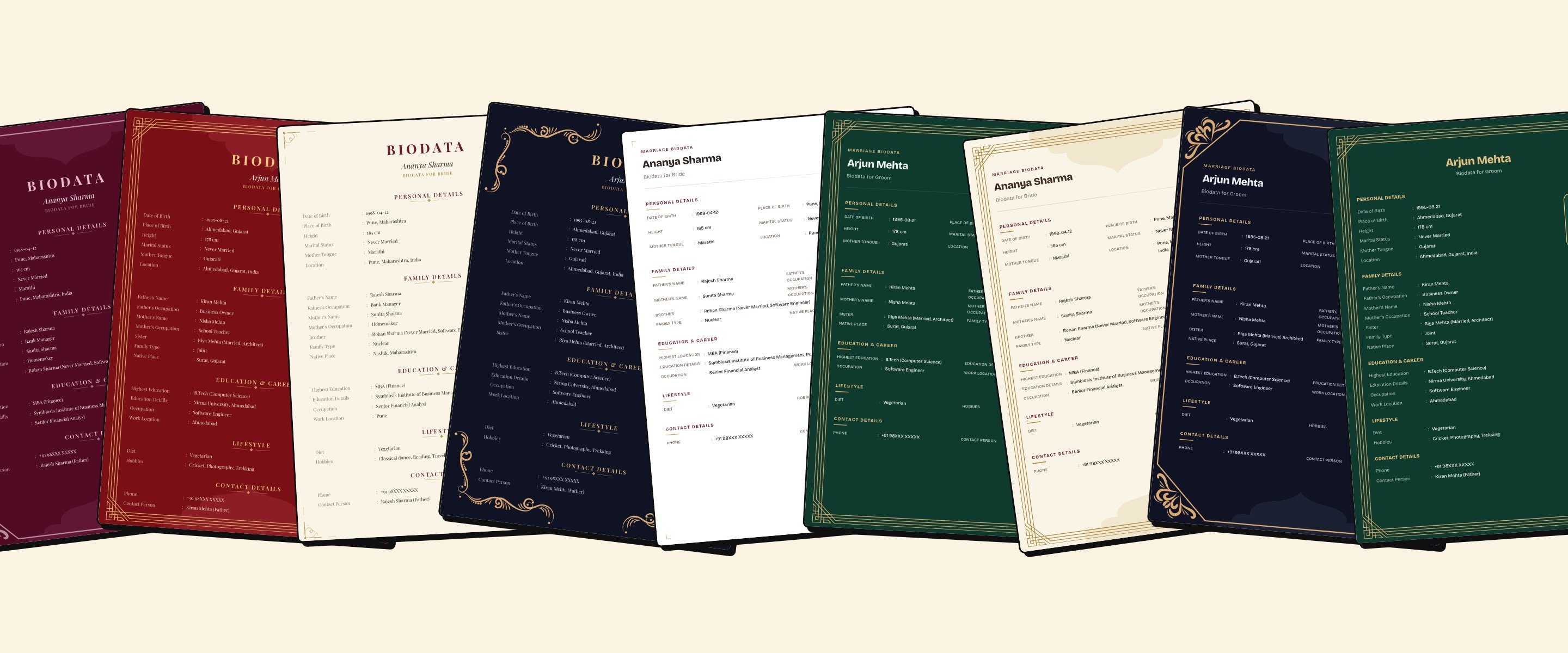
Wedding season is almost here. From November to February, biodatas move between families, relatives and WhatsApp groups, and a good one gets read before anyone picks up the phone.
So if a proposal is coming up, for you or for someone in your family, now is the right time to get your biodata for marriage ready.
Below are our top 10 marriage biodata templates for 2026. Every image is a real biodata made in our builder, not a mockup, so what you see is what you download. Prefer to browse by layout, colour and border? See the marriage biodata templates page.
In this guide
- How the templates work
- Traditional marriage biodata templates
- Modern and minimal biodata templates
- Bold colour templates for WhatsApp
- How to pick the right template
- What to include in a marriage biodata
- Fill it in well: 3 quick fixes
- How to make your biodata in 5 minutes
- Frequently asked questions
How the templates work
Every template here is made from three simple choices:
- Layout: Heritage (classic and centred), Modern Sanskar (clean, two columns) or Blossom (soft and personal).
- Colour: 7 options, from white and cream to maroon, emerald and royal navy.
- Border: 6 options, from small corner marks to full Jharokha and Mandap frames.
Together that's 126 combinations. The preview updates as you choose, and you can change any of the three later without retyping a thing.
It's free to create and preview, and so is the watermarked PDF. You only pay for the clean final PDF.
Traditional marriage biodata templates
Centred headings, a formal serif title and frames inspired by Indian architecture. Choose one of these if your family wants the biodata to look classic at first glance.
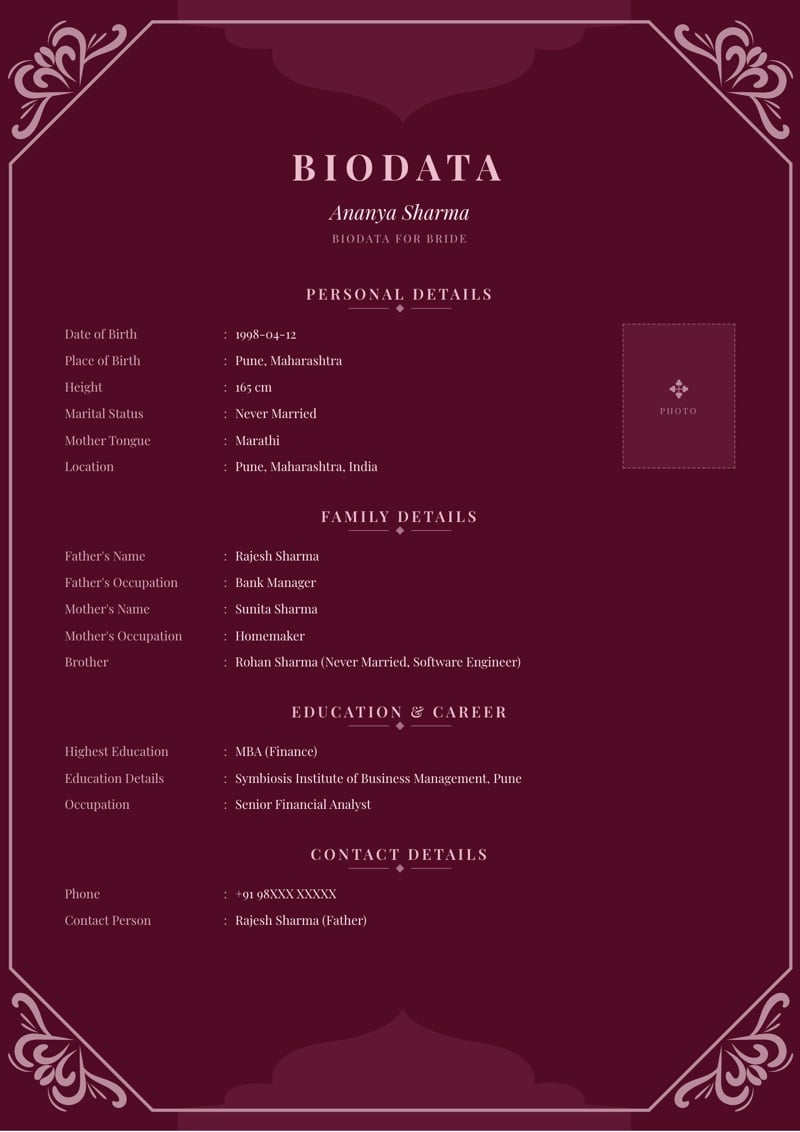
1. Maroon Mandap
Deep maroon, soft pink lettering and the Mandap border's cut corners with floral motifs. It feels festive, like a wedding card, and stays easy to read on a phone.
Best for: A classic biodata with a festive colour.
Use this design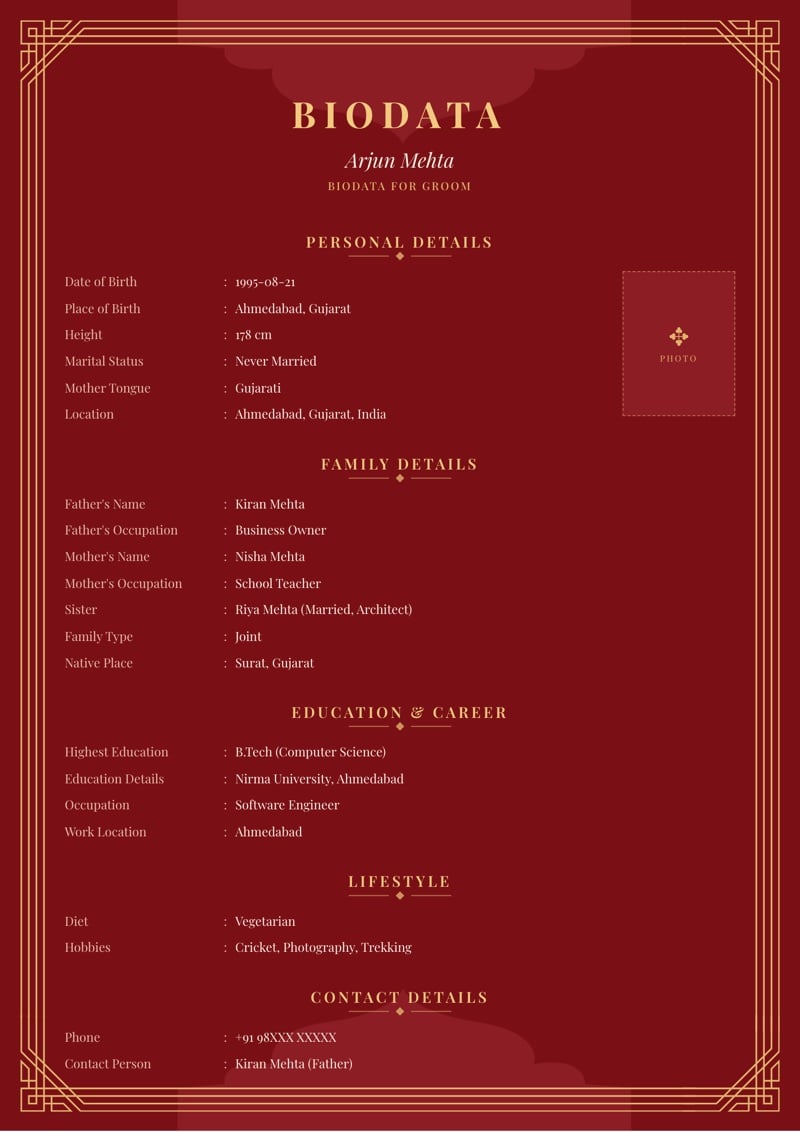
2. Sindoor Red Jharokha
Rich sindoor red with Jharokha's triple-line frame and soft arch. Gold headings make it look like a wedding document even as a small thumbnail.
Best for: Families who love a bold, festive look.
Use this design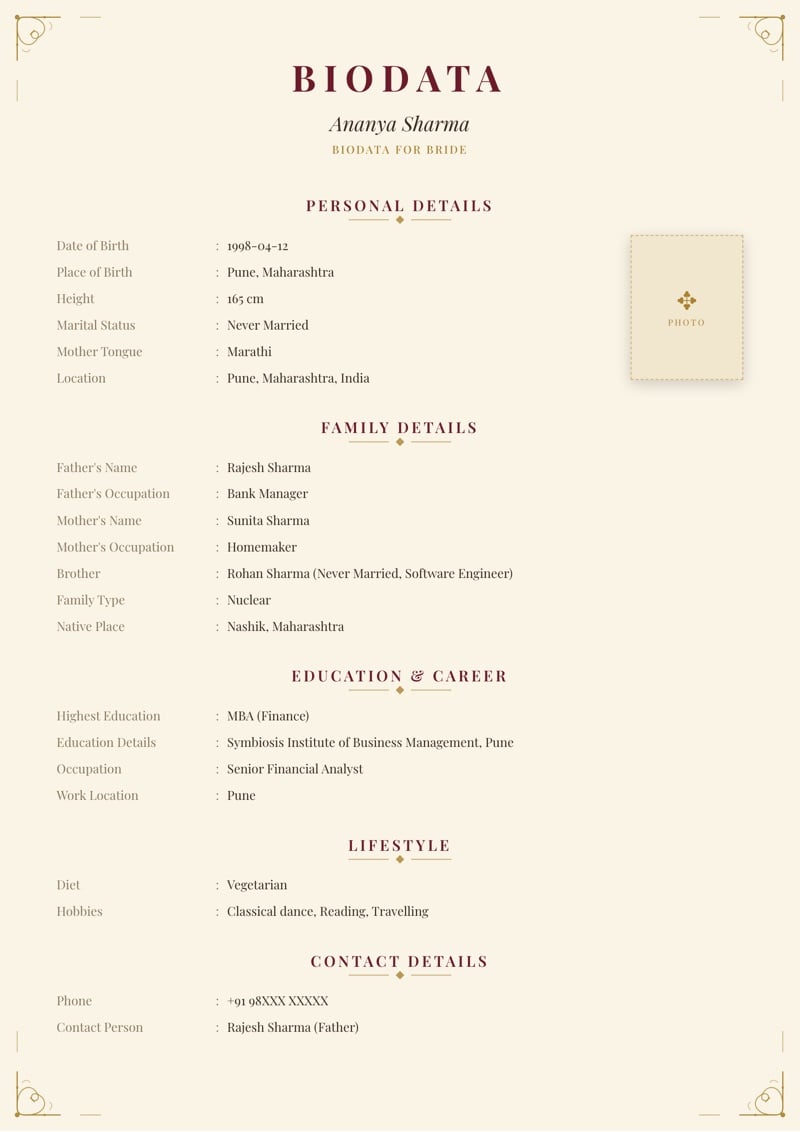
3. Cream Heritage
Warm cream paper, fine line-art corners and deep red headings. Quiet and elegant, and easy on a home printer.
Best for: A traditional biodata you plan to print.
Use this design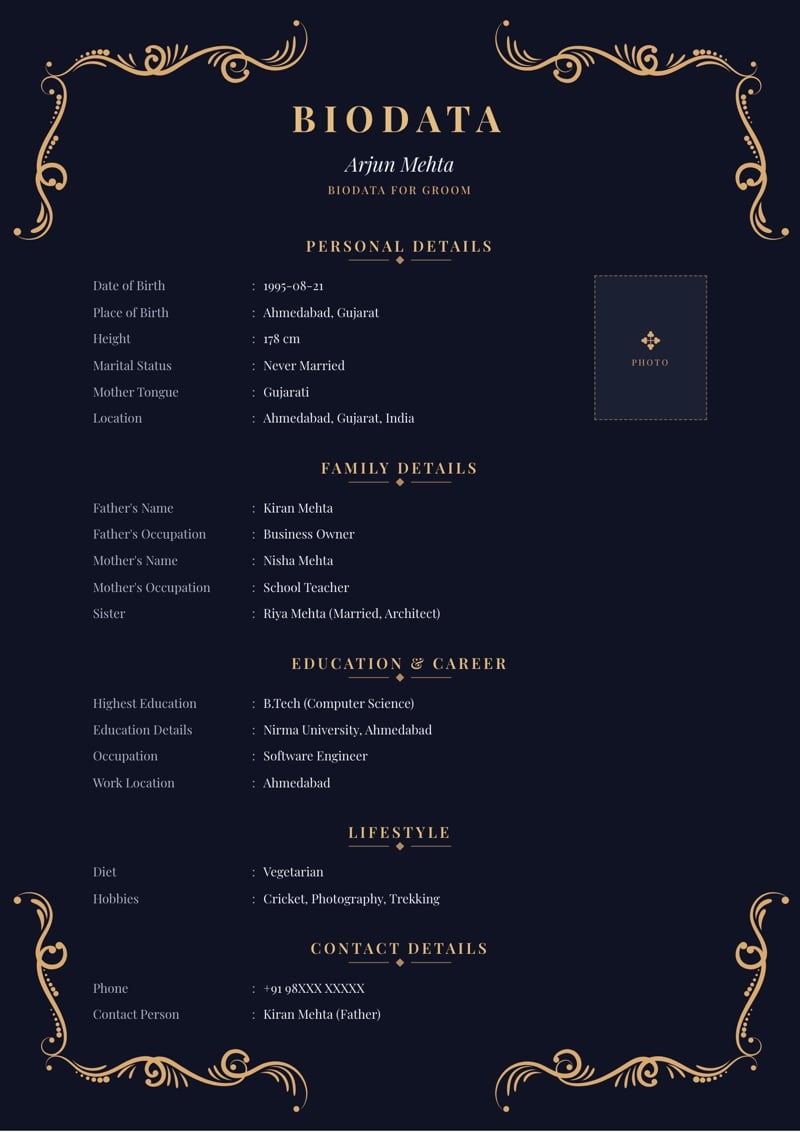
4. Royal Navy Bel
Royal navy with gold vines curling in each corner. Formal and a little regal, without the red most traditional templates use.
Best for: A traditional look in a calmer colour.
Use this designModern and minimal biodata templates
Less decoration, more room for your details. The Modern Sanskar layout puts your information in two clean columns, so it fits more on each page.
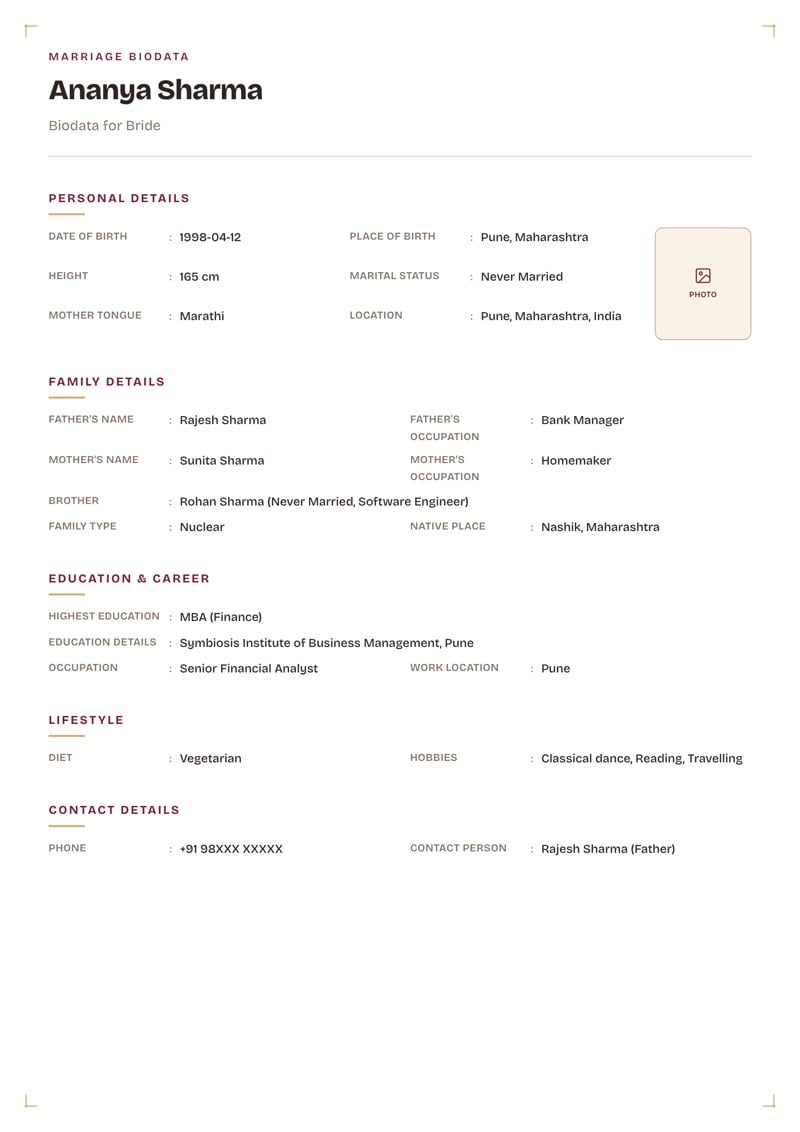
5. White Sanskar
Plain white with small, understated corner marks. The simplest template on this list, and one of the easiest to read, printed or on screen.
Best for: A simple biodata format for marriage, nothing extra.
Use this design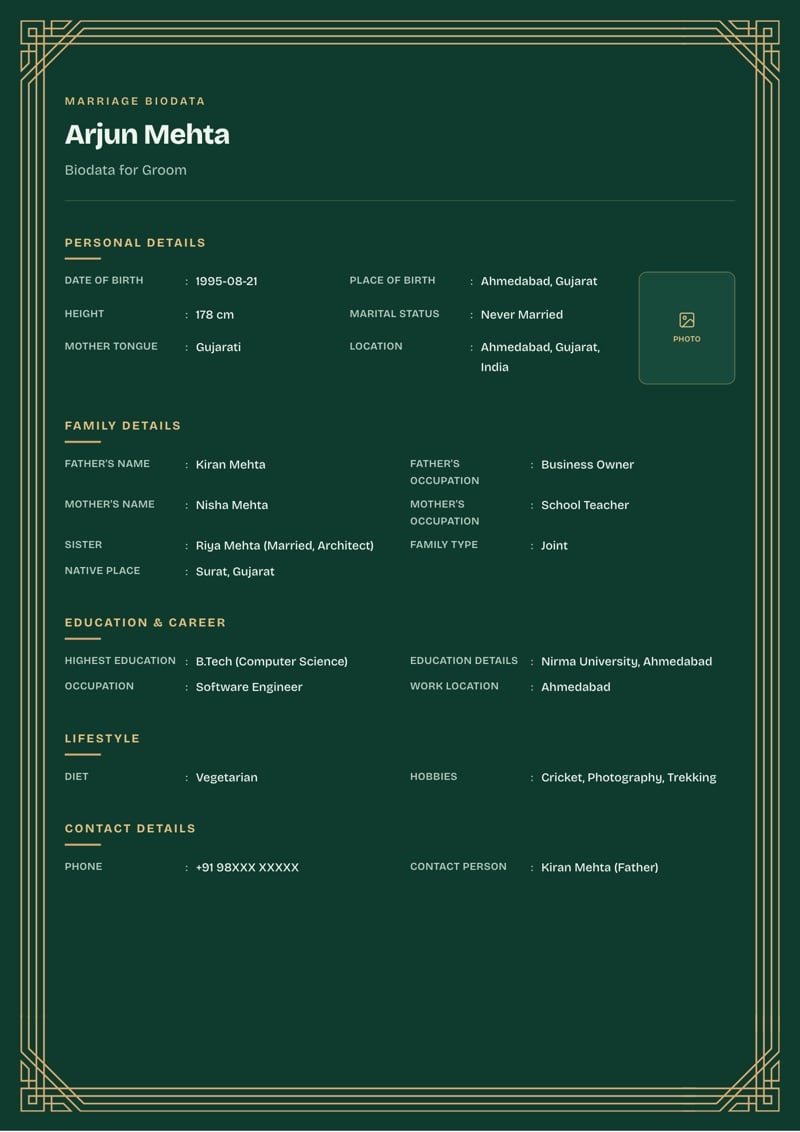
6. Emerald Jaali
Deep emerald with Jaali's lattice corners and gold headings. A modern layout, but the colour still gives it a sense of occasion.
Best for: A modern biodata that still feels special.
Use this design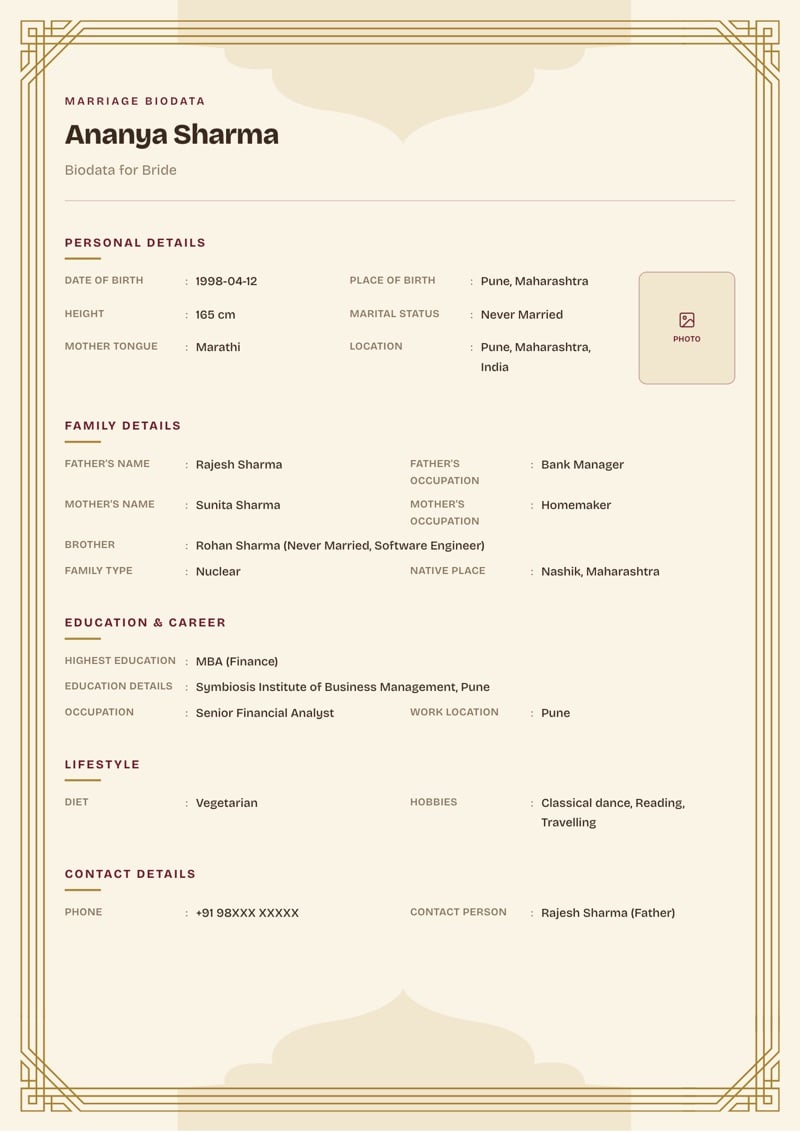
7. Cream Jharokha
Soft cream with a light Jharokha arch around clean two-column details. A good middle ground between traditional and modern.
Best for: Families who want a bit of both.
Use this design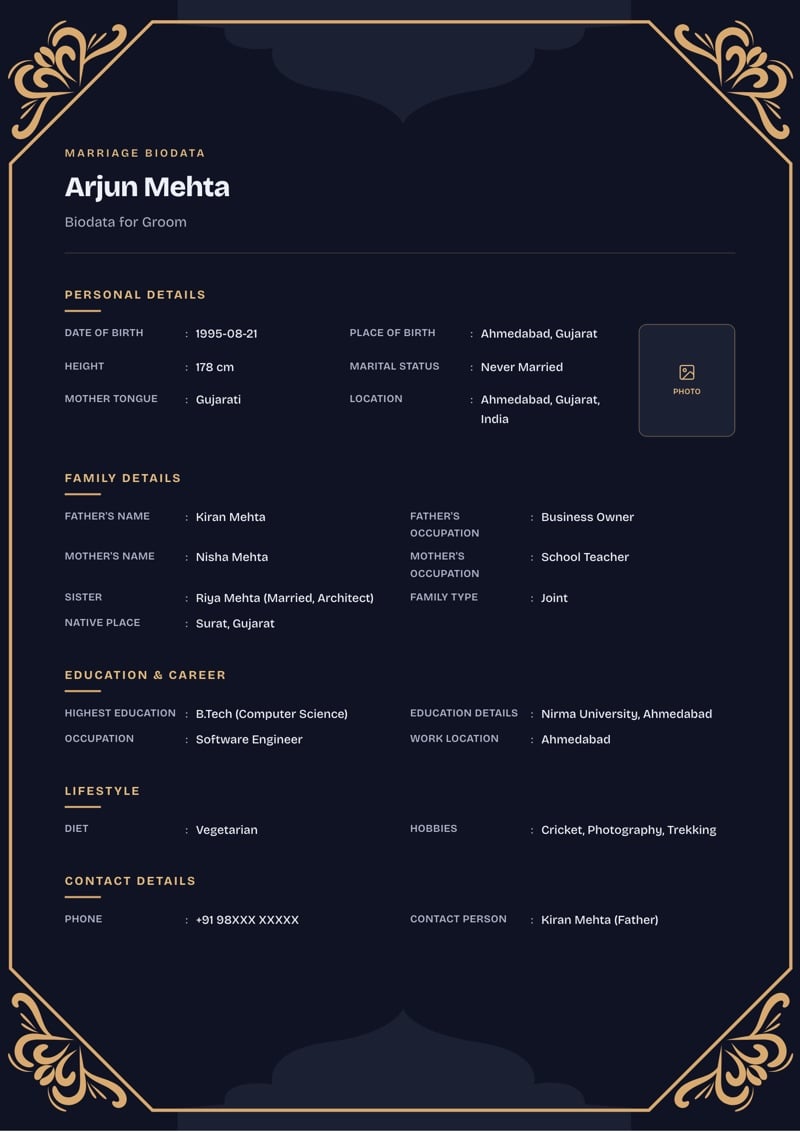
8. Royal Navy Mandap
Navy with a gold Mandap frame and crisp light text. Sharp and professional, and it holds up well as a WhatsApp preview.
Best for: A clean, polished look for working professionals.
Use this designBold colour templates for WhatsApp
Most biodatas are now shared on WhatsApp first and printed later, if at all. Rich, dark colours with light text stand out in a chat and stay readable as a small preview.
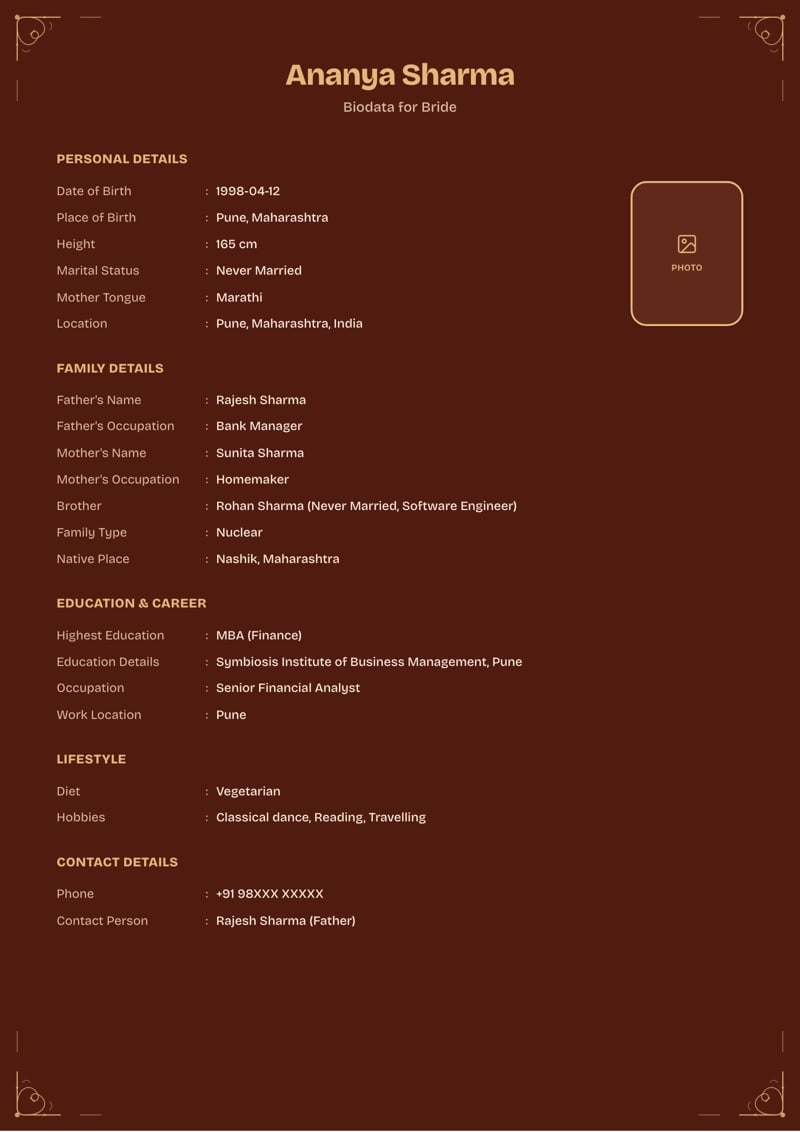
9. Chestnut Heritage
Warm chestnut with fine flourish corners and the Blossom layout's rounded photo frame. Friendly and personal, especially once your own photo is in.
Best for: A warm, personal biodata for sharing on phones.
Use this design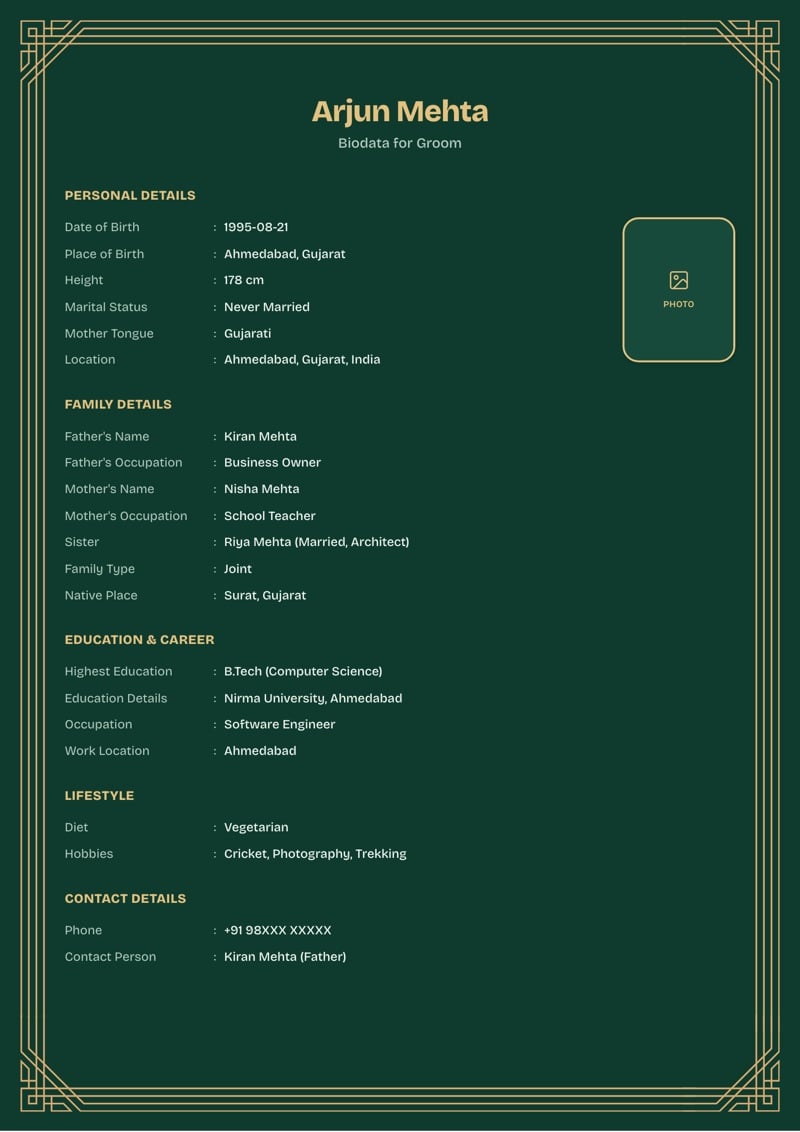
10. Emerald Jaali Blossom
Emerald with Jaali's lattice corners and Blossom's softer type. It stands out in a WhatsApp thread full of red and maroon biodatas.
Best for: Standing out in a busy family group.
Use this designHow to pick the right template
A quick guide:
- Printing at home? Choose white or cream. Light colours save ink and don't smudge.
- Sharing on WhatsApp? Choose maroon, navy, emerald or chestnut. Light text on a dark colour reads well as a small preview.
- Want it to look traditional? Use the Heritage layout with a Jharokha, Mandap or Bel border.
- Lots of details to fit? Use Modern Sanskar. Its two columns fit more on each page.
- Want it to feel personal? Use Blossom, especially with your photo in its rounded frame.
- Making a biodata for a girl or a boy? Every template works for both. Choose bride or groom, and the title changes to match.
Not sure yet? Start with any one. Changing the layout, colour or border never erases what you've typed.
What to include in a marriage biodata
Whichever template you choose, a good biodata for marriage covers the same core sections:
- Personal details: name, date of birth, height, religion and where you live.
- Education and career: your highest degree, what you do and where you work.
- Family details: your parents' names and occupations, siblings and native place.
- Lifestyle: diet, and a line about your hobbies.
- Contact details: a phone number and who families should reach out to.
- Optional sections: community, astrology details and partner preferences, if your family usually shares them.
Add a recent photo and you're done. For a field-by-field breakdown, see our marriage biodata format guide.
Fill it in well: 3 quick fixes
A good template does half the work. These three spots do the rest.
1. Your hobbies line
A biodata has no separate "about me" field, so this line does that job.
- Instead of: "Reading, music, travelling."
- Try: "I trek in the hills most winters, and I'm two years into learning the tabla."
Why it matters: specific details give a family something to ask you about.
2. Partner preferences
- Instead of: "Well-settled, good family background."
- Try: "Settled in or open to moving to Pune, and comfortable with a working spouse."
Why it matters: "well-settled" means something different to every family. Clear preferences save everyone a round of questions.
3. The photo
- Instead of: a heavily filtered selfie, or a face cropped out of a group photo.
- Try: a recent, well-lit photo against a plain background.
Why it matters: people look at the photo before they read a single field.
How to make your biodata in 5 minutes
- Choose your marriage biodata template. Pick a layout, colour, border and the language for your headings. The preview updates as you choose.
- Fill in your details. Personal, education and contact details are required. Skip any optional section that doesn't apply to you.
- Check the live preview. Your details appear in the real design as you type, so there are no surprises.
- Download your PDF. Once it looks right, download a print-ready PDF to share on WhatsApp or print at home.
Headings and field labels can be in English, Hindi, Marathi, Gujarati or Odia. Whatever you type stays exactly as you typed it. Only the labels change.
Frequently asked questions
Which marriage biodata template is best?
There's no single best template. Heritage suits a classic, formal look, Modern Sanskar fits more detail neatly, and Blossom feels softer and more personal. Pick the layout first, then the colour and border.
Can I change the template after filling in my details?
Yes. The layout, colour and border are separate choices, so switching any of them only changes how your details look. Nothing you've typed is lost.
Is it free to try the templates?
Yes. Creating your biodata, switching between all 126 designs and previewing it are free, and so is the watermarked PDF, a draft to share with family for approval. You only pay for the clean final PDF, ₹99 (limited time, was ₹199).
Is there a biodata template for a boy and for a girl?
Every template works for both. Choose bride or groom in the form, and the title changes to Biodata for Bride or Biodata for Groom.
Can I print my marriage biodata?
Yes. The PDF is A4 and print-ready. For a home printer, white or cream uses the least ink.
Which languages can the biodata be in?
Headings and field labels can be in English, Hindi, Marathi, Gujarati or Odia. You can switch at any time without retyping your details.
Do I need to sign up?
No. There's no account or signup. Your draft stays in your own browser while you work on it.
Want to go deeper? The marriage biodata format guide walks through every section, with separate guides for a biodata for a boy and a biodata for a girl, and for headings in Hindi, Marathi, Gujarati and Odia. For more finished examples, see our marriage biodata samples, or read how to write a biodata for a marriage proposal.
Read next
Marriage biodata format
The full field-by-field reference: what to include and why.
Format for a boy
What a groom's biodata conventionally emphasizes.
Wedding Season 2026 in India: 52 Lakh Weddings
When wedding season runs in India, how many weddings it brings, what an Indian wedding costs and where the money goes, from five years of CAIT data.