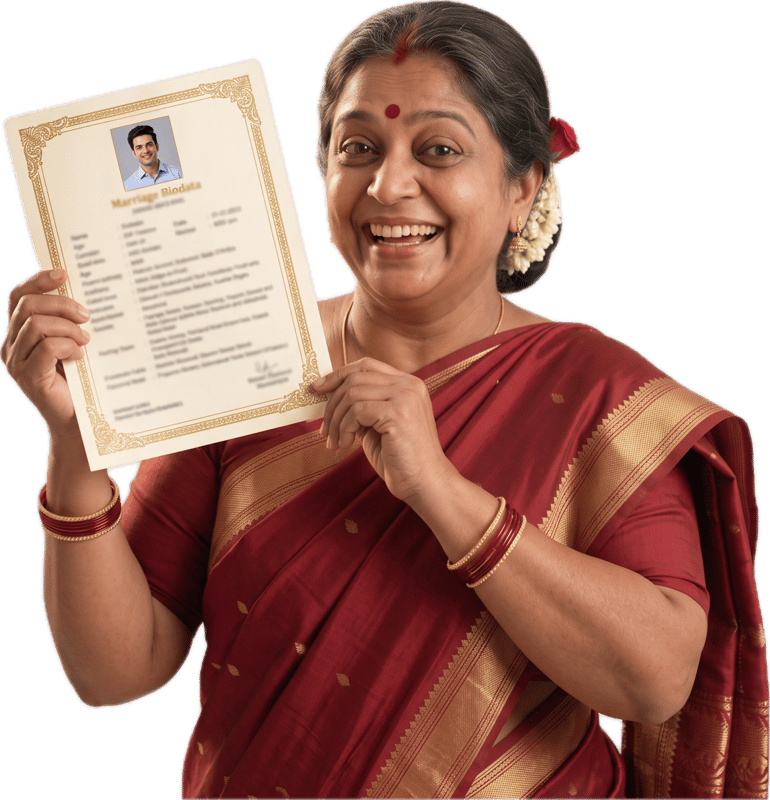
Marriage Biodata Format in Odia: What to Include, Section by Section
Updated 6 October 2026
One thing worth saying upfront, plainly: this covers the format, not a translation service. When you build your biodata with Odia selected, the section headings and field labels switch to Odia. Whatever you type yourself, your name, your father's occupation, your city, stays exactly as you typed it, in whichever script you used.
Odia families share biodatas the same way most Indian families do today: as a PDF, forwarded over WhatsApp between parents, relatives and sometimes a matchmaker, rather than handed over on paper first. That shift changes what actually matters in a biodata. A layout that looks fine on a laptop screen but turns illegible once someone opens the PDF on a phone in a family group defeats the purpose, so keep the design clean and the text large enough to read at that size.
Ready to start? The Odia biodata maker opens the builder with Odia labels already selected.
What an Odia Marriage Biodata Usually Includes
An Odia biodata follows the same broad shape as biodatas across most Hindu Indian communities, organised into clear sections rather than one long paragraph. That structure matters because whoever reads it, often a parent or a matchmaker, is scanning for specific facts, not a life story.
Personal details. Full name, date of birth, height, marital status and religion are the baseline. Time and place of birth matter too, since they usually feed into horoscope matching later.
Family details. Father's name and occupation, mother's name, number of siblings and their status, and family type (nuclear or joint) are standard. Many Odia families also mention their native village alongside the current address, since it places the family for relatives who ask “whose son/daughter is this.”
Religion and astrology. Caste, gotra, rashi (zodiac sign) and nakshatra (birth star) are the fields that get checked most closely before a match moves forward, because they feed into kundali or horoscope matching. Manglik / Kuja dosha status is often listed here too.
Education and career. Highest qualification, college or university, current occupation and often annual income. Families read this section for stability as much as achievement.
Lifestyle. Diet (vegetarian, non-vegetarian, eggetarian) and habits like smoking or drinking are usually a short, honest line rather than an elaborate description.
Contact details. Phone number, email and address, so a family that's interested has a direct way to follow up.
Partner preferences, when included, state what the family is looking for on the other side: age range, education, location, sometimes caste. This section is optional but common.
How to Write Each Section Well
Here's how to approach each part of the biodata, one at a time: why it matters to whoever's reading it, and a couple of tips for getting it right. A few sections include a quick “instead of this, try this” swap for wording that tends to land better.
1. Photo
Why it matters: the photo is usually the first thing anyone looks at, and it sets the tone for how carefully the rest gets read.
Tips:
- Use a recent, well-lit photo in simple, appropriate clothing.
- Avoid heavy filters, sunglasses, or a group photo cropped down to one face.
- A plain background reads better than a busy or dated one.
2. Basic Details
Why it matters: name, date of birth, height and marital status are the facts a reader checks first, often before deciding whether to read on at all.
Tips:
- Confirm the date and time of birth against the actual birth record, since astrology matching uses it again later.
- If you write a short personal line about yourself, make it specific rather than generic.
Instead of / Try:
Instead of: “Simple, God-fearing girl who loves cooking and family.”
Try: “Works as a schoolteacher in Cuttack, enjoys painting on weekends, and stays close to her parents and two younger brothers.”
The second gives a reader something a form field alone can't.
3. Education and Career
Why it matters: families read this section for stability as much as achievement, so accurate beats impressive-sounding.
Tips:
- Name the actual degree, institution and current role rather than a vague description.
- State income as a plain figure or range if you include it, not a rounded-up guess.
Instead of / Try:
Instead of: “Working in a reputed MNC in a senior position.”
Try: “Software engineer at a Bhubaneswar-based IT firm, four years' experience.”
The second is the version a family can actually ask a follow-up question about.
4. Family
Why it matters: for many Odia families this section carries as much weight as anything about the person themselves. Father's occupation and the native village are often the first two things a relative asks.
Tips:
- State father's and mother's occupations plainly, and mention siblings and their status.
- Include the native village alongside the current address if your family usually shares it.
Instead of / Try:
Instead of: “Well-settled, respectable family.”
Try: “Father is a retired bank manager, mother is a homemaker, one younger sister studying in Bhubaneswar. Originally from [village], now settled in [city].”
The second answers questions a reader would otherwise ask separately.
5. Lifestyle
Why it matters: diet and habits are read quickly and don't need dressing up, so a short, factual line works better than an elaborate one.
Tips:
- State diet plainly: vegetarian, non-vegetarian, or eggetarian.
- Mention smoking or drinking honestly rather than omitting it; it tends to come up anyway.
6. Astrology (Odia Specifics)
Why it matters: rashi, nakshatra and gotra are usually checked most closely before a match goes further, since they feed straight into kundali matching. Manglik / Kuja dosha status often comes up early too.
Tips:
- Leave a field blank rather than guessing; a wrong entry causes more back-and-forth later than a blank one does.
- If the exact time of birth is unknown, say so instead of estimating, since it changes the horoscope reading directly.
7. Partner Preferences
Why it matters: this section tells a family what to actually screen for. A vague version doesn't keep options open, it just means the biodata circulates further before being set aside.
Tips:
- Name the two or three things that genuinely matter to your family instead of listing everything.
- State location and family-type preferences plainly if they matter; these usually decide a match before anything else does.
Instead of / Try:
Instead of: “Looking for a well-settled, broad-minded, homely girl.”
Try: “Looking for someone in a stable career, comfortable settling in Bhubaneswar or nearby, from a similar family background.”
The second gives a family something concrete to match against.
8. Contact Details
Why it matters: this is the section that turns interest into an actual conversation, so it needs to be current, not just present.
Tips:
- Use a phone number that's active on WhatsApp, since that's how most families follow up.
- Add a country code if your family is outside India, and double-check the email for typos.
A Few Quick Don'ts
Inconsistent horoscope details between the biodata and the family's actual birth records stall the process when checked, rather than ending it cleanly.
Mixing scripts inconsistently within your own entries, some fields in English, others switching mid-sentence, reads as unfinished. Pick one approach and stay with it; the label language is separate and can stay Odia regardless.
Sharing a half-finished biodata. It's tempting to send it out once education and career look good, even with family or astrology fields still empty. Finish top to bottom first.
Field Labels in Odia
Every section heading and field label below is pulled from the product's own Odia label dictionary, so what's shown here is exactly what renders in the builder and the final PDF, not a separate translation.
The seven section headings that structure every biodata, as they render with Odia selected.
| English | Odia (ଓଡ଼ିଆ) |
|---|---|
| Personal Details | ବ୍ୟକ୍ତିଗତ ବିବରଣୀ |
| Family Details | ପାରିବାରିକ ବିବରଣୀ |
| Education & Career | ଶିକ୍ଷା ଓ କ୍ୟାରିଅର |
| Lifestyle | ଜୀବନଶୈଳୀ |
| Astrological Details | ଜ୍ୟୋତିଷ ବିବରଣୀ |
| Contact Details | ଯୋଗାଯୋଗ ବିବରଣୀ |
| Partner Preferences | ଜୀବନସାଥୀ ପାଇଁ ଆଶା |
A sample of the individual field labels inside each section.
| English | Odia (ଓଡ଼ିଆ) |
|---|---|
| Date of Birth | ଜନ୍ମ ତାରିଖ |
| Height | ଉଚ୍ଚତା |
| Marital Status | ବୈବାହିକ ସ୍ଥିତି |
| Religion | ଧର୍ମ |
| Caste | ଜାତି |
| Gotra | ଗୋତ୍ର |
| Manglik | ମାଙ୍ଗଳିକ |
| Father's Name | ପିତାଙ୍କ ନାମ |
| Mother's Name | ମାତାଙ୍କ ନାମ |
| Family Type | ପରିବାରର ପ୍ରକାର |
| Highest Education | ସର୍ବୋଚ୍ଚ ଶିକ୍ଷା |
| Occupation | ବ୍ୟବସାୟ |
| Annual Income | ବାର୍ଷିକ ଆୟ |
| Diet | ଆହାର |
| Rashi | ରାଶି |
| Nakshatra | ନକ୍ଷତ୍ର |
| Phone | ଫୋନ ନମ୍ବର |
| ଇମେଲ | |
| Address | ଠିକଣା |
A couple of these keep the familiar English word written in Odia script, like Blood Group, because that's how most Indian-language biodatas write them.
More biodata format guides
Biodata format in Hindi
See every field label in Hindi, straight from the product.
Read guideBiodata format in Marathi
Marathi biodata format, a sample and a free PDF, with every label in Marathi.
Read guideBiodata format in Gujarati
See every field label in Gujarati, straight from the product.
Read guideFrequently asked questions
Does the Odia option translate my details, or just the labels?
Just the labels and section headings. Whatever you type into a field, your name, city, occupation, prints exactly as you typed it. Nothing you type is auto-translated.
Can I type my own details in Odia script?
Yes, with Odia selected as the language. The Odia font is loaded then, so what you type in Odia script shows correctly in the preview and the PDF. You can also type in English, or mix both.
Is there a fee to create or preview my biodata?
No. Filling in the form, watching the live preview update and downloading the watermarked PDF, a draft to share with family for approval, are all free. Only the clean final PDF has a fee, ₹99 (limited time, was ₹199), and no signup is needed at any point.
Do I need to include my native village in the biodata?
It's common in Odia biodatas to mention it, since it helps relatives place the family, but it isn't a required field in the builder. Include it if it's relevant to how your family shares biodatas.
What if I don't know my exact rashi or nakshatra?
Leave the field blank rather than guessing. An inaccurate astrology entry causes more confusion later than a blank one, since it gets checked against an actual horoscope.
Can I switch the language after I've already filled in my details?
Yes. Switching the language selector only changes the labels; your entered details are preserved exactly as typed, and you can switch back and forth as many times as you like before downloading.