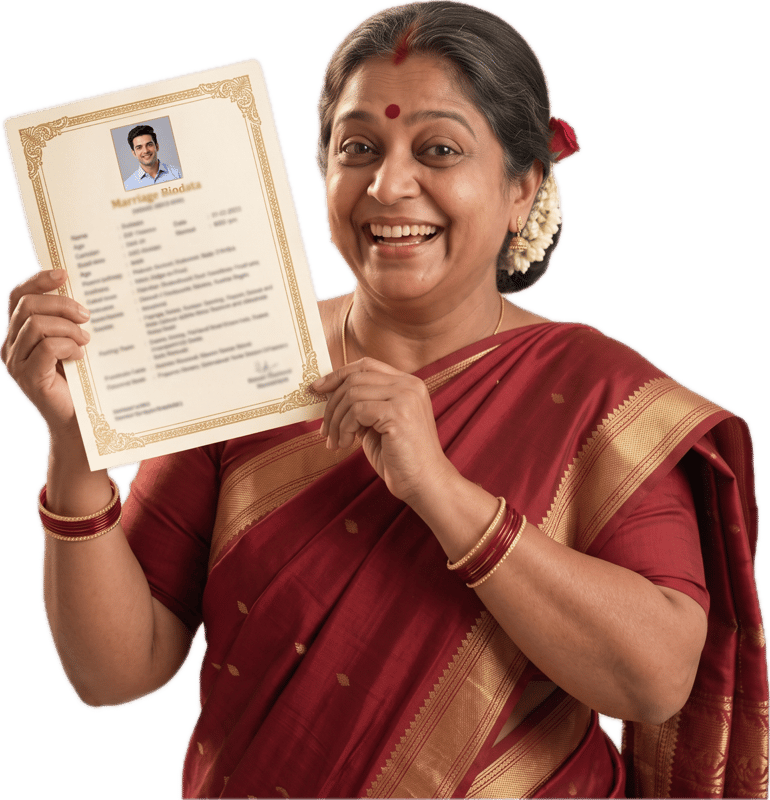
Marriage Biodata Format: What to Include in Every Section
Updated 29 October 2026
What is a marriage biodata?
A marriage biodata is a short personal profile, usually one to two pages, that Indian families share with each other, with relatives, or through matrimony platforms when considering a match. It isn't a resume: the goal isn't to impress an employer, it's to give another family a clear, honest picture of who you are (your background, your family, and what you're looking for) so they can decide whether to take the conversation further.
Because it's often read quickly and compared against several other biodatas, the format matters almost as much as the content: a clearly organized biodata with the right sections in the right order gets read properly; a cluttered or incomplete one gets skipped. The sections below are the same ones MyMarriageBio's biodata builder walks you through, in the order most Indian biodatas use.
The sections a marriage biodata is built from
Most marriage biodatas, regardless of religion or region, are built from the same seven groups of information. Which fields you fill in beyond the essentials is up to you; everything marked optional below can be left blank without looking incomplete.
1. Personal & birth details
The core identity section, usually right under your photo.
- Full Name, Gender
- Required. The two fields every biodata opens with.
- Date of Birth
- Required.
- Time & Place of Birth
- Optional: mainly relevant if horoscope matching applies to your family.
- Height, Weight, Complexion, Blood Group
- All optional. Commonly included, but skip any that don't feel relevant.
- Marital Status
- Required: never-married, divorced, widowed, or awaiting divorce.
- Religion, Caste, Sub-Caste
- Religion is required; caste and sub-caste are optional and vary a lot by family and region.
- Gothra, Manglik status
- Optional: conventionally included in Hindu biodatas, see the Hindu format guide below.
- Mother Tongue
- Optional.
- Current City, State, Country
- City and country are required; state is optional.
2. Family details
Families marry families, not just individuals. This section is read closely.
- Father's & Mother's Name and Occupation
- Optional fields, but expected in almost every biodata.
- Siblings
- Each sibling's name, whether brother or sister, marital status, and occupation.
- Family Type
- Nuclear or joint family. Optional, but a common quick filter for many families.
- Family Values
- Traditional, moderate, or liberal. Optional, gives a sense of household culture.
- Native Place
- Optional: your family's ancestral hometown, distinct from where you currently live.
3. Education & career
Usually the second-most scrutinized section after family background.
- Highest Education
- Required.
- Education Details
- Optional: additional degrees, institutions, specializations.
- Occupation
- Required.
- Company Name, Designation
- Optional, but strengthens the section considerably.
- Annual Income
- Optional: a genuinely personal choice on how much detail to share.
- Work Location
- Optional.
4. Lifestyle
Short and optional, but adds real personality to an otherwise formal document.
- Diet
- Optional: vegetarian, non-vegetarian, eggetarian, vegan, or Jain.
- Smoking, Drinking
- Optional: yes, no, or occasionally.
- Hobbies, Interests
- Optional, but genuinely useful. This is often the only place a biodata reads like a person rather than a form.
5. Horoscope & astrology details
Entirely optional, and mostly relevant to Hindu families that do Kundali matching before proceeding with a match: see the Hindu marriage biodata format guide for what each field means. If it doesn't apply to your family, leave this section out entirely.
- Rashi (moon sign), Nakshatra (birth star)
- Used for horoscope/Kundali matching.
- Gan, Nadi, Charan
- Finer Kundali-matching details some families check specifically.
6. Contact details
How an interested family actually reaches you.
- Phone
- Required.
- Alternate Phone, Email
- Optional.
- Contact Person
- Optional: commonly a parent's name, since many families prefer to speak to a parent first.
- Address
- Optional.
7. Partner preferences
An optional closing section on what you're looking for in a match.
- Age Range, Height Range
- Optional.
- Education, Occupation, Location
- Optional: as specific or general as you like.
- Other Expectations
- Optional free text for anything else that matters to you.
Bio data form for marriage: the simple version
If you want the shortest biodata that still works, fill in only the required fields: full name, gender, date of birth, marital status, religion, current city and country, highest education, occupation and a phone number. Add a photo and two or three lines about your family. That is a complete, simple marriage biodata format, and every optional field can be added later.
Biodata format for marriage, not for a job
A job biodata is a short resume for an employer. A biodata of marriage is read by parents and relatives, so it carries family background, horoscope details for some communities and partner preferences, and leaves out work history beyond your current role. If a format online asks for your notice period, it is the wrong one.
Marriage biodata format download
You can fill in this format online and download it as a PDF, free with a light watermark. See the marriage biodata templates for the designs, or the marriage biodata samples to see the format filled in.
Format tips that actually matter
- Keep it to one page where possible: two at most. A biodata is meant to be read in a couple of minutes, not studied.
- Use a clear, formal photo. A recent, well-lit, front-facing photo is the single most-noticed element on the page.
- Share it as a PDF, not a Word file or image.A PDF keeps your layout intact on every phone and prints cleanly, which is also why MyMarriageBio's builder only exports PDF.
- Follow the section order above.Personal details first, contact details near the end. It's the order most families expect, so nothing feels hard to find.
- Leave optional fields blank rather than guessing.An empty field reads as “not applicable”; a made-up answer can cause real problems later.
More biodata format guides
Frequently asked questions
Do I need to fill in every field?
No. Only full name, gender, date of birth, marital status, religion, current city, current country, highest education, occupation, and phone number are required. Everything else (including height, caste, gothra, income, and the entire horoscope section) is optional and can be left blank.
What is the simplest biodata format for marriage?
A photo, the required fields (name, gender, date of birth, marital status, religion, city, country, education, occupation and phone) and a few lines on your family. It fits on one page and is enough for a first look. Add horoscope and partner preferences only if your family wants them.
Is a marriage biodata the same as a resume?
No. A resume is built to get you a job and is read by a recruiter. A biodata is built to introduce you and your family to another family, and is read by parents and relatives, so it includes family background, horoscope details for some communities, and lifestyle information a resume never would.
Should I include astrology/horoscope details?
Only if it's relevant to your family or community. It's common in Hindu biodatas (see the Hindu format guide) and usually skipped entirely in Muslim and Christian biodatas (see those guides below).
PDF or Word file, which should I share?
PDF. It displays identically on every phone and laptop and prints cleanly, while a Word file can shift its layout depending on the device or fonts installed. MyMarriageBio's builder generates a print-ready PDF directly.